
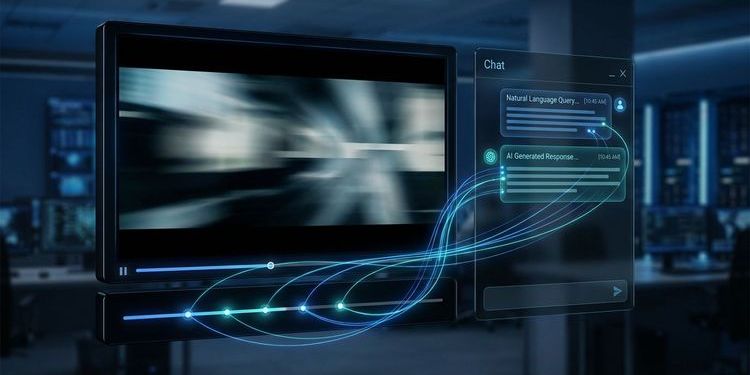
You recorded a 60-minute webcast. 300 people attended live. Three days later, a colleague is looking for an argument the speaker made around minute 38. He opens the recording, hits play, and watches for ten minutes. Then he gives up.
This happens after every event. Video content is not searchable without the right infrastructure. Chat with Webcast solves this: you ask a question in natural language and get an answer in seconds, with a timestamp and a direct link to the exact moment in the video.
What this looks like in practice is shown by a real experiment with the Rise of AI 2026: The Most Expensive Asset at Every Conference Goes to Waste.
Why recordings are the most underused asset in any organisation
Most recordings are barely watched after the event.
Access is the problem. Anyone searching a 45-minute recording for a specific statement has to either watch the whole thing or rely on a transcript that appears as one long, unformatted block of text. Both are too time-consuming for daily use.
The result: knowledge disappears into the archive. A town hall with 15 strategic statements from the CEO. A product launch with all technical specifications. A compliance training with exact legal interpretations. All there, and practically impossible to find.
What this mechanism costs organisations is explained in detail here.
Most teams recognise this: the recording link gets sent after the event, and then nothing happens. Anyone searching for a specific point three weeks later cannot find it. The archive holds more usable knowledge than most meeting notes ever will.
What is Chat with Webcast?
Chat with Webcast is an AI feature in MEETYOO Show that turns webcast recordings into a queryable knowledge source. You type a question in natural language. The AI searches the full content of the linked recording, formulates an answer, and links to the exact timestamp in the video. The feature is also referred to as Chat with Video.
The concept is the same as Google's NotebookLM: you query the content directly, not a search engine. The difference is the format: instead of text documents, Chat with Webcast processes video recordings.
What Chat with Webcast can do:
- Answer any question about the content of a recording
- Summarise key points from one or multiple sessions
- Deliver quotes with timestamps from the original video
- Compare positions from different speakers on the same topic
- Explain content without you having to watch the video
What Chat with Webcast does not do:
- Add information from external sources
- Invent content (every answer is tied to verifiable sources)
- Publicly index your content
→ All AI features in MEETYOO Show at a glance
Chat with Webcast is included in MEETYOO Show's permanently free plan. Usage limits may apply depending on your plan.
How Chat with Webcast works: step by step
Step 1 – Set the recording to on-demand
Once your webcast is finished, you activate it in MEETYOO Show as on-demand content. The recording becomes available in the player. The AI processing for Chat with Webcast starts automatically. No separate setup, no upload to a third-party tool.
Step 2 – Open Event Guru
Attendees see the "Event Guru" button in the on-demand player. One click opens the Event Guru panel directly alongside the video.
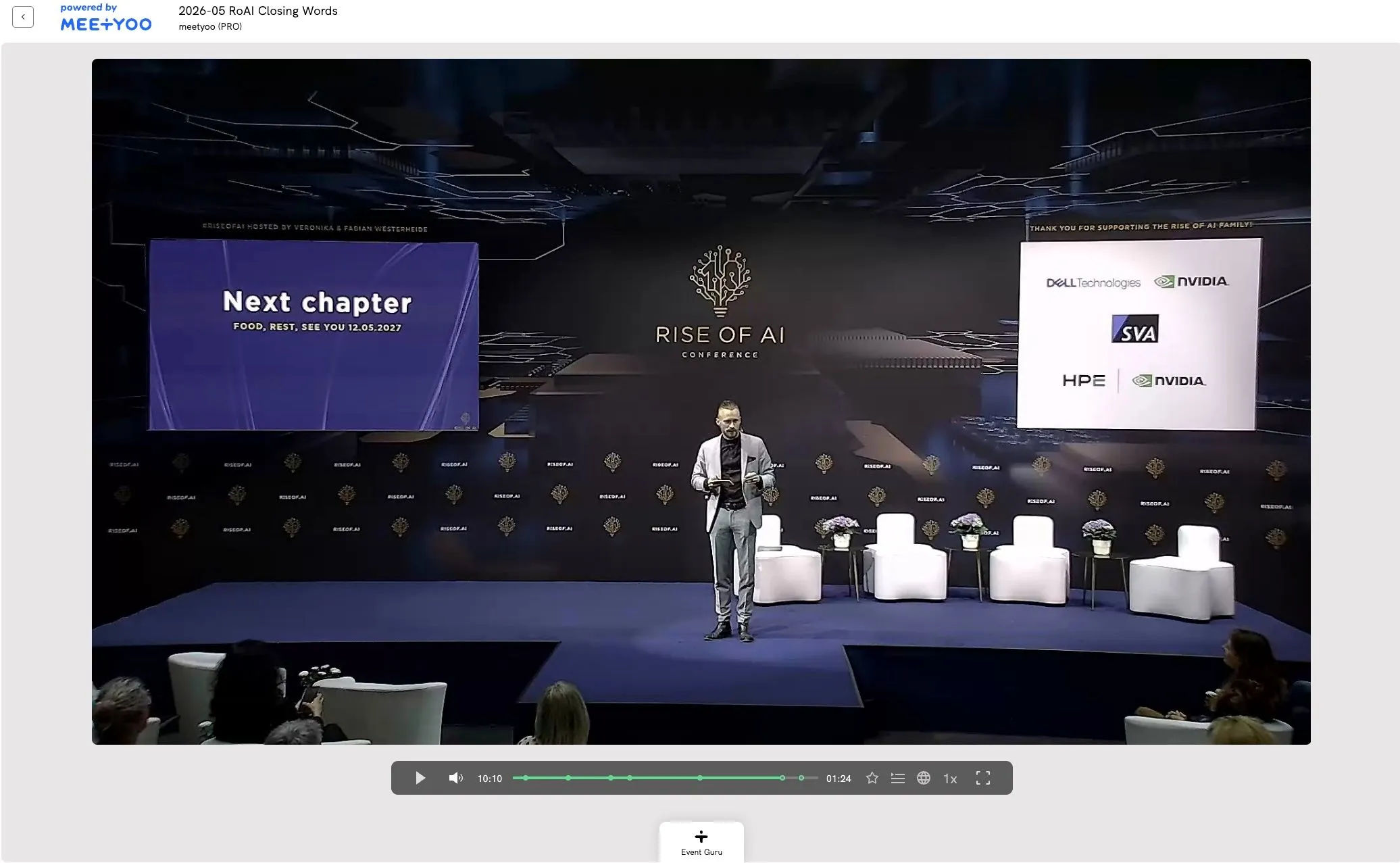
Step 3 – Choose an action or ask a question
The panel offers two ways to interact: pre-built actions for common tasks — create a summary, find highlights, show chapters, create a social media post — or a free text input for any question. "What arguments did the CFO give for the new pricing structure?" works just as well as "What was said about data migration?"
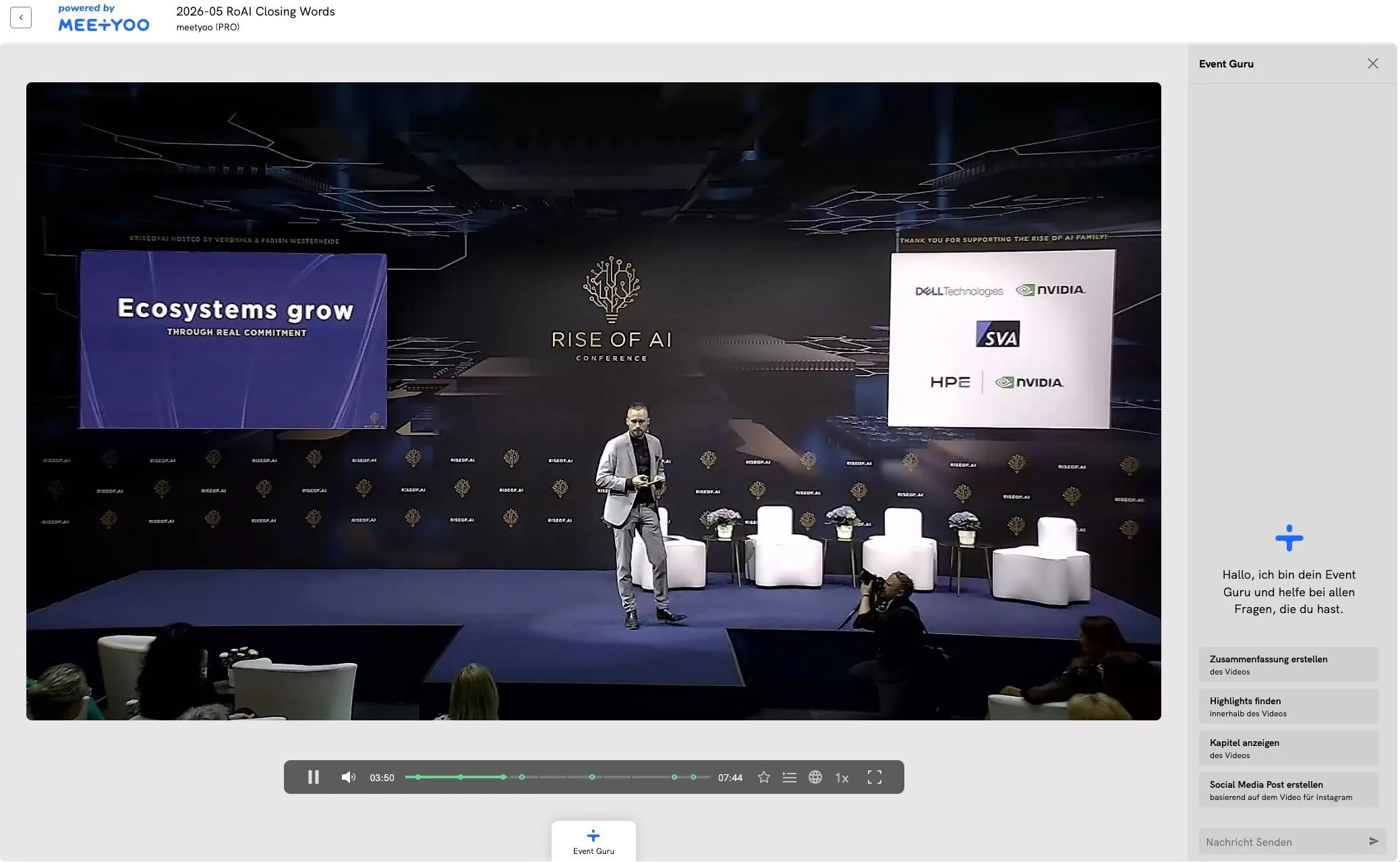
Chat with Webcast responds in the language of the person asking. You can ask a question in English about a German-language webcast. The answer comes back in English. For international teams, multilingual organisations, and global supplier communication, this is a clear advantage.
Step 4 – Receive an answer with source references
Within seconds, an answer appears. Below it are the sources: timestamps in the video, deeplinks to the original moment. One click plays the relevant passage.
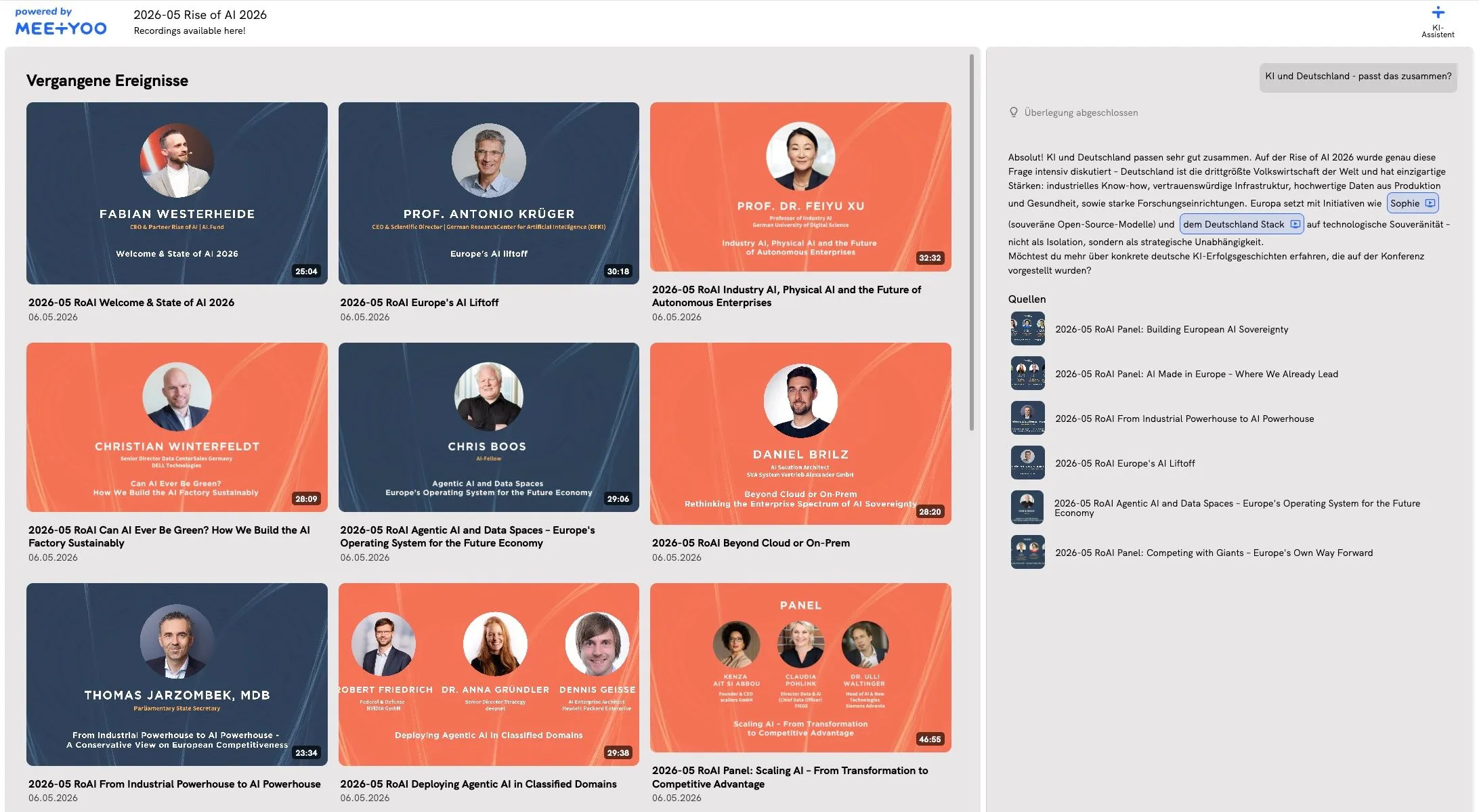
Step 5 – Ask follow-up questions
The panel supports follow-up questions. You can build on an answer, ask for more detail, or explore a different angle.
Tip for event managers: Plan Chat with Webcast as part of your on-demand strategy from the start. Mention the feature in your post-event follow-up email. This measurably increases the return rate to your recordings.
Start MEETYOO Show for free — permanently. Chat with Webcast is included in the free plan. No expiry date, no credit card required. Start for free now
5 use cases: where Chat with Webcast makes the biggest difference
1. CEO town halls and all-hands meetings
The CEO explains the new company strategy in a 90-minute town hall. Three weeks later, a team leader needs to explain what that means for her department. With Chat with Webcast, she types her question and gets the relevant passage from the town hall, with a timestamp as evidence.
The answer comes directly from the CEO, not from HR's recollection.
2. Product launch documentation
After a product launch webcast, your sales team has the most current source of information directly in the archive. Instead of a 50-page PDF that becomes outdated after the first update, they query the recording directly: "What are the three main arguments for enterprise customers?" or "Which integrations were announced?"
3. Compliance training and mandatory courses
For GDPR, workplace safety, or compliance training, traceability matters. Chat with Webcast gives employees searchable access to training content. They can check before making a decision whether a specific rule was covered in the training.
4. Conference and event archives
Organisations that regularly broadcast external events via webcast can make that knowledge permanently accessible. What previously disappeared into the archive after two weeks becomes a queryable knowledge database.
A real-world example: Rise of AI 2026 with 300 experts. All sessions queryable, in seconds.
5. Supplier and partner communication
When the same questions keep coming from suppliers or partners, access is usually the issue. Chat with Webcast turns onboarding webcasts and product training into self-service knowledge sources, around the clock.
Particularly useful in international contexts: a German-language onboarding webcast can be queried in English by an English-speaking partner. The answer comes back in their language, directly from the original content.
Chat with Webcast vs. classic video search
Many platforms offer transcripts or basic full-text search. What is the difference?
| Classic search | Chat with Webcast | |
|---|---|---|
| Input | Keyword | Natural language question |
| Result | Transcript match | Formulated answer |
| Answer language | Language of the video | Language of the person asking |
| Source reference | Timestamp | Timestamp + deeplink |
| Follow-up questions | ✗ | ✓ |
| Summaries | ✗ | ✓ |
| Compare multiple sessions | ✗ | ✓ |
Classic search finds text. Chat with Webcast understands content and responds in the language the question was asked in.
How AI generates reusable assets from webcast content automatically is explained here: More Than Just a Transcript: How AI Really Maximizes Your Webcast ROI.
Important for platform comparisons: Chat with Webcast is built directly into MEETYOO Show. All processing takes place entirely on EU servers. No data in US clouds.
Data privacy: why this is not a comfort question for Chat with Webcast
For companies in financial services, pharma, or the public sector, content from town halls, investor relations meetings, or compliance training needs to stay on European servers.
Chat with Webcast processes all content exclusively on EU servers. MEETYOO Show is ISO 27001-certified and GDPR-compliant. This is certified standard. Companies like Commerzbank, Merck and Siemens use MEETYOO Show for business-critical communication precisely because these requirements are non-negotiable.
Relevant for IT departments: Chat with Webcast can be approved for internal content use without a separate data protection impact assessment.
All AI features in MEETYOO Show are documented in the full feature overview.
Conclusion
Webcast recordings contain more usable knowledge than their average replay rates suggest. Limited access keeps most of it from being used. Chat with Webcast addresses that directly: every recording becomes queryable, in the language of the person asking, without anyone having to watch the video again.
The feature is included in MEETYOO Show's permanently free plan. No separate setup, no additional software, no US cloud.
FAQ
What is Chat with Webcast?
Chat with Webcast is an AI feature in MEETYOO Show that lets you query webcast recordings in natural language. You ask a question. The AI searches the content of the recording and delivers an answer with a timestamp and deeplink to the original moment.
How is Chat with Webcast different from a transcript search?
A transcript search finds text passages. Chat with Webcast understands your question semantically and formulates a structured answer, including summaries, comparisons, and follow-up questions. The result is an answer, not a list of hits.
Does Chat with Webcast respond in my language?
Yes. Chat with Webcast responds in the language you ask the question in, regardless of the language the webcast was held in. You can query a German-language webcast in English and receive an English answer.
Is Chat with Webcast GDPR-compliant?
Yes. All processing takes place on EU servers. MEETYOO Show is ISO 27001-certified. No data is transmitted to external US services.
Which plan includes Chat with Webcast?
Chat with Webcast is included in MEETYOO Show's permanently free plan (no expiry date, no credit card required). Usage limits may apply depending on plan volume.
Does Chat with Webcast require separate setup?
No. The feature is built directly into MEETYOO Show. As soon as a recording is set to on-demand, Chat with Webcast is automatically available.
Can Chat with Webcast search multiple sessions at the same time?
Chat with Webcast works on the linked content of an event or archive. For event archives with multiple sessions, it is possible to query the entire content in a single question.


