

The decision is made. Your current platform no longer delivers — not enough branding flexibility, too much GDPR exposure, no meaningful AI. What comes next is the question that surfaces in every evaluation meeting: "What does this actually mean for us? What happens to our data, our live events, our registration pages?"
This guide answers exactly that. No theory — a concrete migration plan that works while you keep producing events.
Why platform migrations fail — and why webinar tools are different
Most software migrations fail not because of technical complexity, but because of unrealistic timelines, missing rollback plans, and teams brought in too late. Any IT lead who has been through an ERP migration knows the feeling.
With webinar platforms, the starting position is structurally simpler — for one decisive reason: you can run two systems in parallel without anyone noticing.
Registration pages, templates, and branding exist independently of each other. Attendee data exports as a CSV. A live event on Platform A does not block building Platform B. That makes switching less risky than it feels — as long as you follow the right sequence.
The central risk in switching webinar platforms is not data loss — it is timing. Anyone who switches mid-campaign without defining a clear freeze point creates double workload instead of efficiency gains.
The four real obstacles — and how to solve them
Obstacle 1: Live events and existing registrations
The most common objection to switching: "We have an event in six weeks with 1,200 registrations on the current platform." Correct. That event stays there. You do not swap running shoes mid-stride.
The clean solution: define a freeze date. All events scheduled within the next 6–8 weeks run to completion on the current platform. From the freeze date onwards, all new events are set up on MEETYOO. No events are migrated — attendee data is exported and continues in your CRM.
Obstacle 2: Attendee data and registration history
Webinar platforms store registration data, attendance status, Q&A logs, and sometimes engagement scores. That data belongs to you — and almost every platform allows CSV export.
What to export before you cancel:
- Registration lists from all past events (name, email, date, status)
- Q&A logs from strategically relevant events
- Survey and poll results
- Recording URLs, if you want to archive them
Important: Export data before cancelling, not after. Many providers disable data access immediately after contract termination. Plan a 2–3 week buffer between export and cancellation.
Obstacle 3: Integrations and CRM connections
If your current platform connects to HubSpot, Salesforce, or Marketo via Zapier or a native integration, you will need to rebuild that connection. This is the most technically involved part — but far from the hardest.
MEETYOO provides an API through which registration data, attendance status, and engagement metrics are passed directly to external systems. For standard CRM integrations, this is a one-time setup of a few hours. More complex integrations are supported by the MEETYOO team throughout the process.
Obstacle 4: Rebuilding branding and templates
This feels like a lot of work — in practice it barely is. MEETYOO sets up CI branding once: colours, logo, backgrounds, lower thirds, registration page. All subsequent events draw on it automatically.
For those who need it faster: the AI Branding Builder analyses your website URL and generates a complete event theme in seconds. No agency, no multi-hour design sessions.
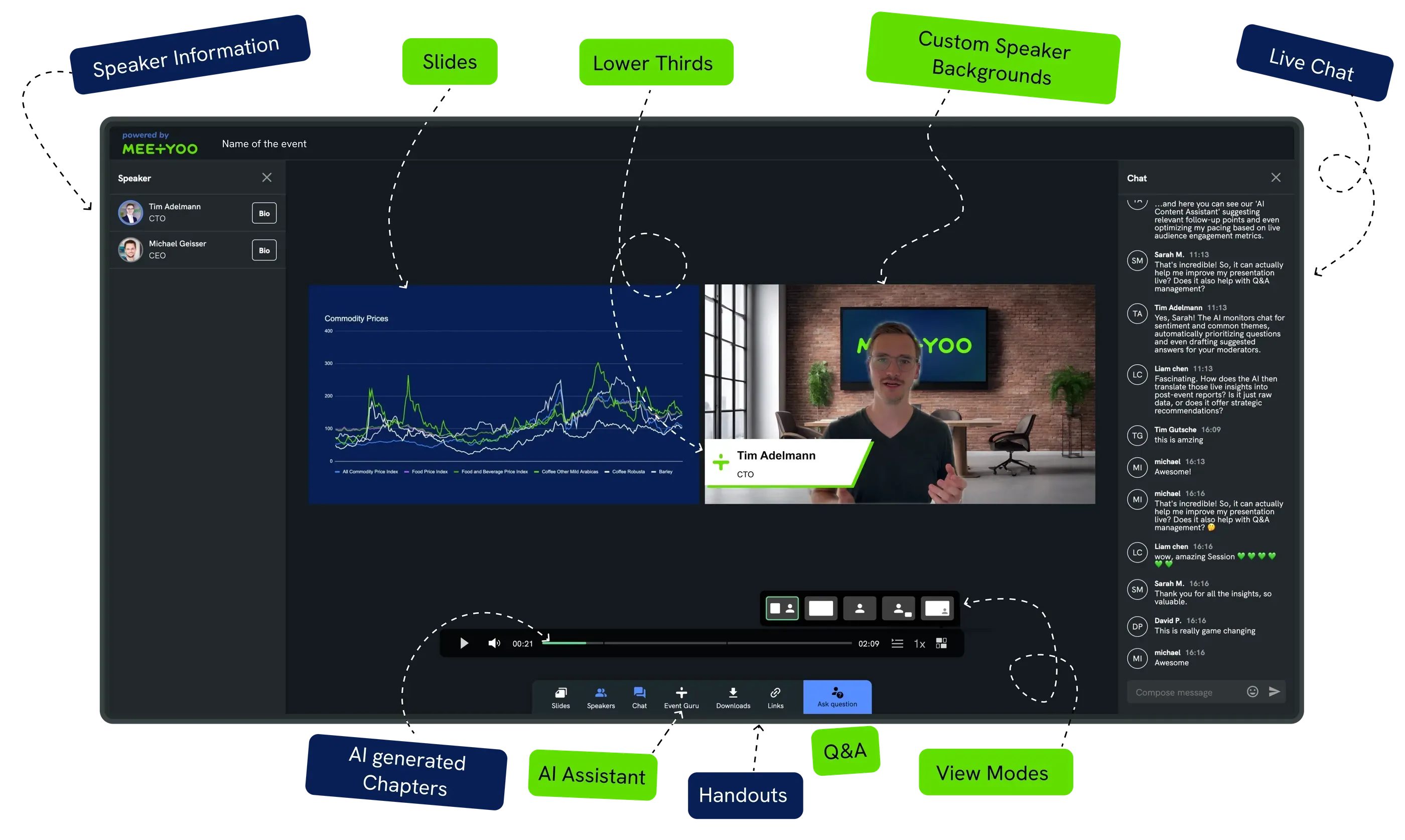
→ Explore all branding features
The 4-week migration plan
This plan works for teams that produce events regularly and cannot afford a hard cut. It is based on the parallel operation method: the old platform keeps running until all live events are complete.
| Week | Focus | Tasks |
|---|---|---|
| Week 1 | Setup & branding | Create MEETYOO account (Forever Free Plan — permanently free, no credit card) · Set up branding (manual or AI Builder) · Test event end-to-end · Define freeze date |
| Week 2 | Data export & integration | Export all relevant data · Set up CRM integration (API or Zapier) · Create first pilot event |
| Week 3 | Pilot event & onboarding | Run the pilot event · Incorporate feedback · Communicate cutover date to the team |
| Week 4 | Full cutover | All new events on MEETYOO · Close out remaining events on old platform · Submit cancellation |
Tip: Do not run the pilot event as an internal tech test. Run it as a real small event — an internal all-hands briefing or a short customer update works well. Real conditions reveal real gaps.
The migration checklist
Before leaving the old platform, check every item:
Data export:
- Registration lists from all events (CSV)
- Attendance status and engagement data
- Q&A logs from strategically relevant events
- Poll and survey results
- Recording URLs (for local archiving)
MEETYOO setup:
- Branding configured and approved
- First event successfully tested end to end (registration, studio, Q&A, on-demand)
- CRM integration active
- Team onboarding complete
- Pilot event run successfully
Closeout:
- Freeze date respected
- Last event on old platform completed
- Final data exports secured
- Cancellation submitted with sufficient notice
What concretely changes for your team
The most common question from operations leads and event managers is not "What can MEETYOO do?" — it is "What do I have to re-learn?"
The honest answer: not much. If the team has been using a meeting platform like Zoom or Teams for webcasts, MEETYOO is intuitively more structured. The backend separates event setup, branding, speaker management, and moderation clearly. Each function has its place.
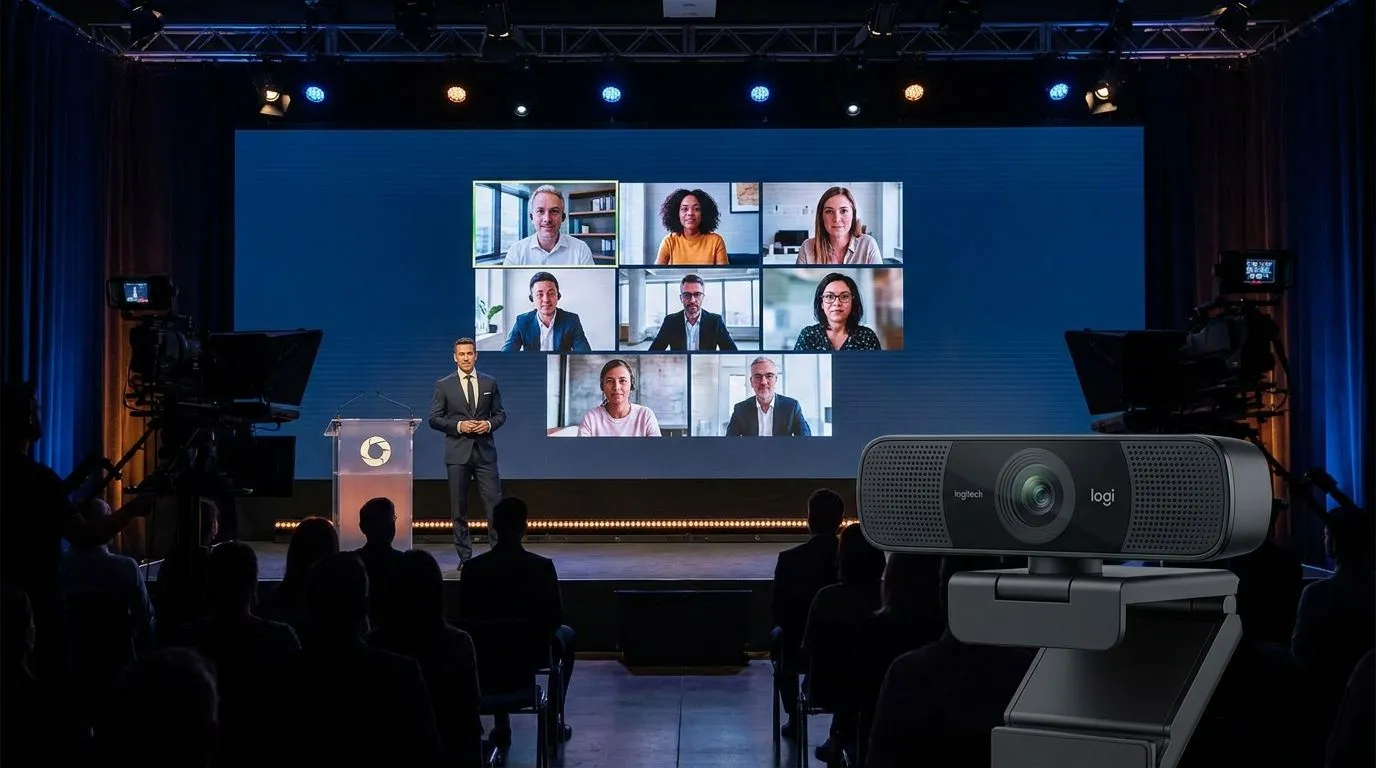
What improves:
No more guessing about branding. No more "how did the background look at the last event?" — branding is stored centrally and applied identically to every event.
Moderators work invisibly. No accidental screen shares, no moderation windows in the frame. Moderators are never on camera.
After the event, the AI starts working. Transcript, chapter markers, engagement score — all automatic. No manual post-processing.
→ Explore AI features for post-event content ROI
Where MEETYOO customers come from
The most common starting points — with the trigger that comes up most often:
| Previous platform | Most common trigger | Full guide |
|---|---|---|
| Zoom Webinars | Missing CI branding, Zoom-branded registration page | Zoom alternative for webinars |
| GoToWebinar | Price increases, stagnating features | GoToWebinar alternative |
| Teams Live Events | Shutdown on 30 June 2026, missing branding control | Teams migration & alternatives 2026 |
| Webex | Not enough flexibility, Cisco aesthetics on the stage | Webex alternative |
| ON24 | Pricing shock from ~$25,000/year, US data protection concerns | ON24 alternative |
Customer references: Commerzbank, Mercedes-Benz, Allianz GI, Siemens Energy, SAP, and AutoScout24 run their webcasts on MEETYOO. The platform is ISO 27001-certified and GDPR-compliant with EU data hosting.
When is the right time to switch?
Not when you have spare time — you rarely do. But after a clear trigger moment:
After an event that did not go as hoped — poor branding feedback, technical instability, or a Q&A with 400 unmanageable questions.
Before the next contract renewal — most annual contracts auto-renew. Set a reminder 3 months before your renewal date.
After a strategic decision — new webinar frequency, brand relaunch, new CRM: these are natural migration windows.
What you should not do: push the switch to "after the next big event." After the big event comes the next big event.
Conclusion
Switching webinar platforms is not a major IT project. With the right plan, migration takes 4 weeks — parallel to live events, without data loss, and without stress for the team.
MEETYOO provides everything needed: intuitive onboarding, AI-powered branding setup, API integration, and — for those who want confidence at the first major event — Service on Demand: MEETYOO experts accompany your event live, from the rehearsal through to post-event processing.
FAQ
How long does a switch to MEETYOO take?
With the 4-week plan in this article, you are fully migrated without interrupting live events. The actual setup — branding, first event, CRM integration — is done in 1–2 days.
What happens to my existing webinar recordings?
Recordings stay on the old platform until you cancel. Download them in advance and store them on your own infrastructure or cloud storage. MEETYOO recordings are available on-demand automatically after every event.
Can I test MEETYOO for free before switching?
Yes. The Forever Free Plan is permanently free — no expiry date, no credit card required. It includes AI features, theming functions, all engagement tools, and up to 500 registrations per event. You can run through the entire migration process on the Free Plan before upgrading to a paid plan.
Will I lose my CRM integration during the migration?
No, provided you build the integrations in the right order: set up and test the MEETYOO integration first, then deactivate the old platform integration. Both systems can send data to the same CRM in parallel during the transition period.
What if I run into technical problems during the migration?
MEETYOO offers support from a German-speaking team. Teams that book Service on Demand receive dedicated support for each event — including rehearsal, live support, and post-event follow-up.
Do I need to migrate all past events?
No — and we do not recommend it. Past events remain on the old platform or are archived locally. You start fresh in MEETYOO with a clean setup. Only active registration data that you need for ongoing CRM nurturing is exported and handed over.
What does MEETYOO cost compared to my current platform?
MEETYOO Show starts at €240/month billed annually — with full CI branding, AI features, and up to 1,000 registrations. A detailed cost comparison with Zoom, GoTo, ON24, and others is available in our webinar platform cost guide.


